

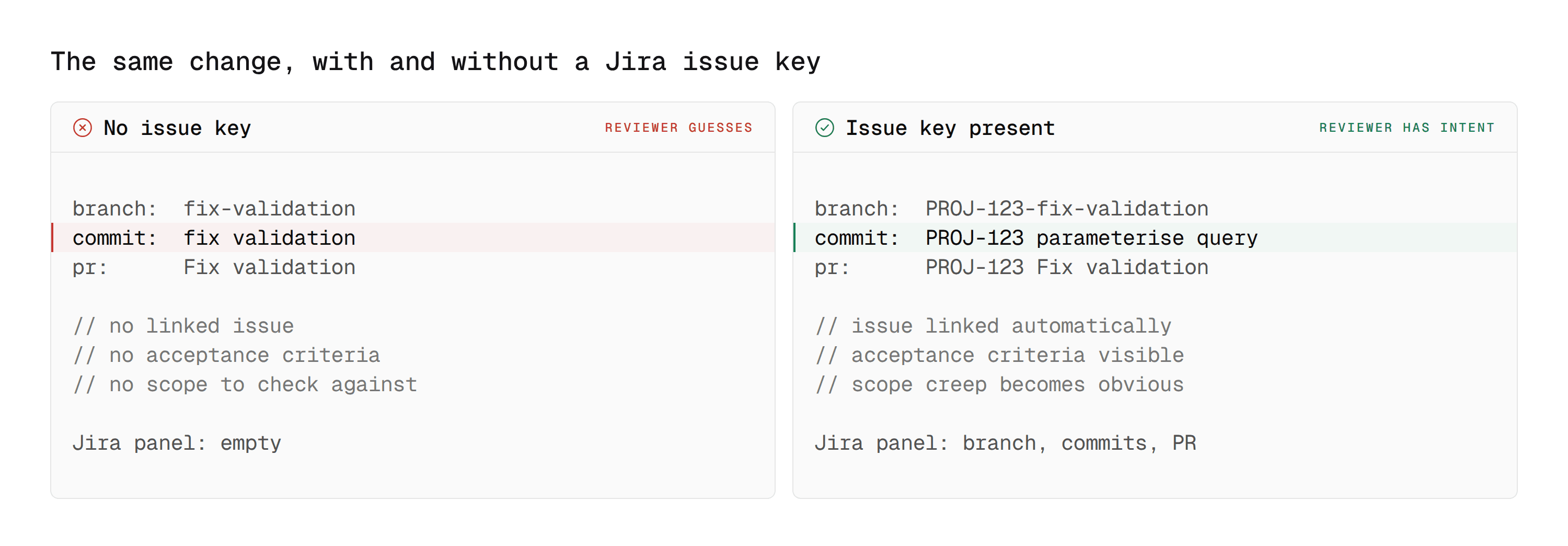
A reviewer opens a pull request called "fix validation." Forty changed files. No description.
Somewhere there is a Jira issue explaining why this exists, what the customer reported, and what the acceptance criteria were. The reviewer either goes and finds it, or reviews the diff without knowing what the change is supposed to do. Most of the time, under deadline, they do the second thing.
The Bitbucket Jira integration exists to remove that choice. Done properly, the issue is attached to the branch, the commit, and the pull request, and the reviewer never has to go looking. This guide covers how the linking actually works, what it enforces, and where it stops.
Where this connects: CodeAnt AI reads the linked work item as context when it reviews, so it can flag a change that goes beyond the scope of the issue it claims to implement. It runs AI code review and security scanning on every Bitbucket pull request.
Key Facts at a Glance
Question | Short answer |
|---|---|
What links the two | An issue key in the branch name, commit message, or PR title |
Key format |
|
Smart commits | Commit-message commands that transition an issue or log time from Git |
Where the link appears | On the Jira issue's development panel and on the Bitbucket PR |
What it enforces by default | Nothing. Linking is a convention unless you add a merge check |
The common failure | The key is in the branch but not the commits, so half the trail is missing |
Cloud vs Data Center | Both support linking. Smart commit behaviour and app availability differ |
How Bitbucket and Jira Actually Link
The Jira Bitbucket integration is simpler than most teams assume and more fragile than they expect. Everything runs off the Jira issue key, and no separate mapping is maintained anywhere.
The issue key is the whole mechanism
Put PROJ-123 in a branch name, a commit message, or a pull request title, and Atlassian links the two records. The Jira issue gains a development panel showing the branch, the commits, and the pull request. The Bitbucket PR shows the issue.
There is no separate mapping to maintain. There is also nothing stopping someone from omitting the key, which is why the discipline matters more than the configuration.
Create the branch from the issue
The most reliable way to get the key in place is to never type it. From a Jira issue, use the development panel to create a branch, and Bitbucket pre-fills the branch name with the key already in it.
Every commit on that branch then inherits the association through the branch, and the pull request picks it up from the branch name.
What each placement actually links
The three places you can put the key are not equivalent, and the difference shows up later in reporting rather than immediately.
Key placed in | Links the branch | Links the commits | Links the pull request | Survives a squash merge |
|---|---|---|---|---|
Branch name | Yes | No | Yes | The branch link, yes |
Individual commit messages | No | Yes | No, unless also in the title | Only if the squash message keeps it |
Pull request title | No | No | Yes | Yes |
The safe combination is branch name plus pull request title. That covers the two views people actually open, and it does not depend on anyone writing a disciplined commit message under deadline. If commit-level reporting matters to you, the key has to be in the commits themselves, which in practice means a commit-msg hook rather than a convention.
Smart commits
A commit message can do more than reference an issue. Smart commits let a message transition the issue, add a comment, or log time as part of the commit itself.
The value is that the issue state follows the code without anyone remembering to update it. The risk is that a careless message transitions something it should not, so most teams limit smart commit usage to comments and time rather than state changes.
Smart commit command reference
Command | Effect | Worth using |
|---|---|---|
| Adds a comment to the issue | Yes, low risk |
| Logs work against the issue | Yes, if your team tracks time |
| Moves the issue, for example | Carefully, see below |
Transitions are where this goes wrong. A commit message written in a hurry can close an issue that is not done, and nothing warns anyone. Most teams that have been burned once limit smart commits to comments and time.
What the Reviewer Actually Gains
The integration is often sold as traceability, which is true and undersells it. The bigger effect is on review quality.
Intent becomes visible. A reviewer who can read the issue knows what the change is meant to do, which is the only way to notice that it does something else.
Scope creep becomes obvious. An issue describing a validation fix, attached to a pull request that also refactors the auth middleware, is a conversation worth having before the merge rather than after the incident.
Acceptance criteria become a review checklist. If the issue lists three conditions, the reviewer has three things to verify rather than a general impression to form.
The audit trail assembles itself. For teams under a change-management control, the question is usually whether a production change traces back to an approved request. The issue link is that trace, and it exists without anyone compiling it.
That last point is why this integration keeps appearing in compliance conversations rather than only in developer-experience ones.
Enforcing the Link Rather Than Hoping For It
Linking is a convention by default. A pull request with no issue key merges perfectly happily.
Two ways to make it real.
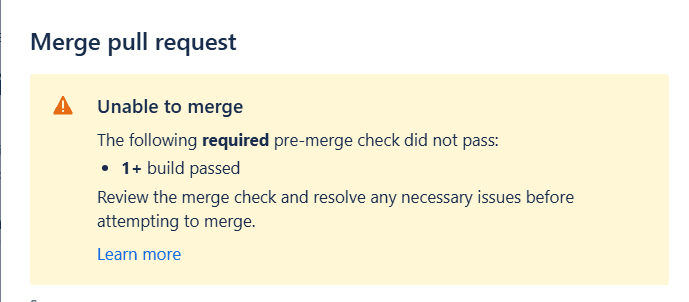
Merge checks. Bitbucket merge checks gate a pull request on conditions such as a minimum number of approvals, a minimum number of successful builds, and no unresolved tasks. Combined with a build step that fails when no issue key is present, this turns the convention into a requirement.
Branch naming enforcement. If branches are always created from the Jira issue, the key is present by construction. A branch permission or a pre-receive hook rejecting branches without a key pattern closes the gap for branches created by hand.
The lighter option is to start with a pipeline step that warns rather than fails, leave it for two weeks, and only make it blocking once the open pull requests at the time of the change have cleared. A gate that fails on day one for reasons nobody understands teaches people to look for the bypass.
Enforcing the Link With a Pipeline Step
Merge checks cannot gate on an issue link directly, so the usual pattern is a pipeline step that fails when no key is present, combined with a merge check requiring a successful build.
The check itself is short. This reads the pull request title and branch name from the Bitbucket Pipelines environment and fails when neither carries a key.
Two details that matter more than the regex.
The failure message has to say what to do. A build that fails with
exit 1and no explanation teaches people to look for the bypass rather than to fix the cause.Start it non-blocking. Replace
exit 1withexit 0for the first two weeks and let the message appear without stopping anyone. Make it blocking only once the open pull requests at the time of the change have cleared.
If you want the check to confirm the issue actually exists rather than that the string looks right, call Jira directly.
That version catches the typo case, where PROJ-1233 passes a regex and links to nothing.
Where It Gets Harder Than the Documentation Suggests
Four things worth knowing before they surprise you.
The key in the branch does not put it in the commits. Some reporting views read commits rather than the branch, so a squash merge that drops the original commit messages can break part of the trail even though the pull request linked correctly.
Multiple issues on one pull request work, but reporting gets fuzzy. A PR referencing three issues links to all three. Whether that reads as one change serving three purposes or one change that should have been three pull requests is a judgement call the tooling will not make for you.
Smart commit permissions are not obvious. A smart commit transitions an issue as the committing user, which means it silently does nothing if that user lacks the transition permission in Jira. The commit succeeds, the issue does not move, and nobody is told.
Cloud and Data Center behave differently enough to check. Both support the core linking. Smart commit support, app availability, and the exact shape of the development panel vary between them. If you are on Bitbucket Data Center, confirm rather than assume.
Troubleshooting Common Linking Problems
The commit does not appear in Jira
The key is missing or malformed in the commit message. A key in the branch name links the branch and pull request but does not put the key into individual commits, so commit-level views look empty even though the pull request linked correctly.
Check the case too. Issue keys are uppercase, and proj-123 does not match.
The link worked, then disappeared after merge
A squash merge rewrites commit messages. If the key lived only in the commits and the squash message dropped it, the commit-level link goes with it.
Fix it by putting the key in the pull request title as well, since that survives any merge strategy.
The smart commit did not transition the issue
Smart commits act as the committing user. If that user lacks the transition permission in Jira, the commit succeeds, the issue does not move, and nobody is notified.
Check the committer's Jira permissions rather than the syntax, which is usually fine.
Multiple issues linked to one pull request
This works and is sometimes correct. It also makes reporting ambiguous, because the tooling cannot tell whether one change served three purposes or should have been three pull requests.
If it happens often, that is a pull request sizing problem rather than a linking problem.
The development panel is empty on Data Center
Core linking works on both Cloud and Data Center, but the panel layout and app availability differ. Confirm against your specific version rather than following Cloud documentation, which is covered in our Bitbucket Data Center guide.
A Pull Request Template That Makes the Link Automatic
Most of the failure here is a missing habit rather than a missing feature, and a template puts the field in front of the author every time.
Bitbucket supports a default description for new pull requests at the repository level. Something like this does most of the work.
The detail that matters is the trailing PROJ- on the issue line. A blank field gets skipped. A half-filled one gets completed, because leaving it visibly incomplete feels worse than typing three digits.
Two things to leave out. Long checklists, which get ticked without reading, and anything the pipeline can check for itself. A template is a prompt, not a gate, and the gate is the pipeline step above.
Using Jira Automation to Close the Other Half
Smart commits push state from Git into Jira. Jira automation pushes it the other way, and together they remove most of the manual status updating that makes issue tracking feel like overhead.
Three rules cover the majority of what teams build.
Move to In Review when the pull request opens. Trigger on the pull request created event, condition on the issue being in To Do or In Progress, action transition to In Review. This is the rule that stops the standup question about whether something is ready to look at.
Move to Done when the pull request merges. Trigger on pull request merged, action transition to Done. Safer than a #resolve smart commit because it fires on the merge rather than on a message someone typed.
Comment back when a reviewer requests changes. Trigger on the pull request declined or changes requested event, action add a comment naming the reviewer. Useful when the issue, not the pull request, is where the product side is watching.
The combination worth aiming for is simple. Developers never open Jira to update status, and the people who read Jira never have to open Bitbucket to find out where something is.
One caution. Automation rules that transition issues are invisible until they misfire, so keep the rule count small and the conditions explicit. A rule that moves the wrong issue is harder to notice than one that does nothing.
How CodeAnt AI Turns the Jira Link Into Enforcement
Most tools stop at reading the issue. Rovo Dev, Atlassian's own reviewer, already checks a pull request against the linked issue's acceptance criteria, and it does that well.
The gap is what happens next. A reviewer that reads the issue and posts a comment has improved the conversation. It has not changed what can merge, and it has not looked for anything a general model was not asked to look for.
CodeAnt AI covers three things on the same pull request.
1. It reviews the change against its stated intent
The linked work item becomes context, so the review can flag a change that goes beyond the scope of the issue it claims to implement. That is the failure a human catches only when they have read both, which under deadline is rarely.
A diff summary tells you what changed. Scope validation tells you whether what changed is what was asked for.
2. It gates the merge, rather than adding to the thread
This is the line between a reviewer and a control.
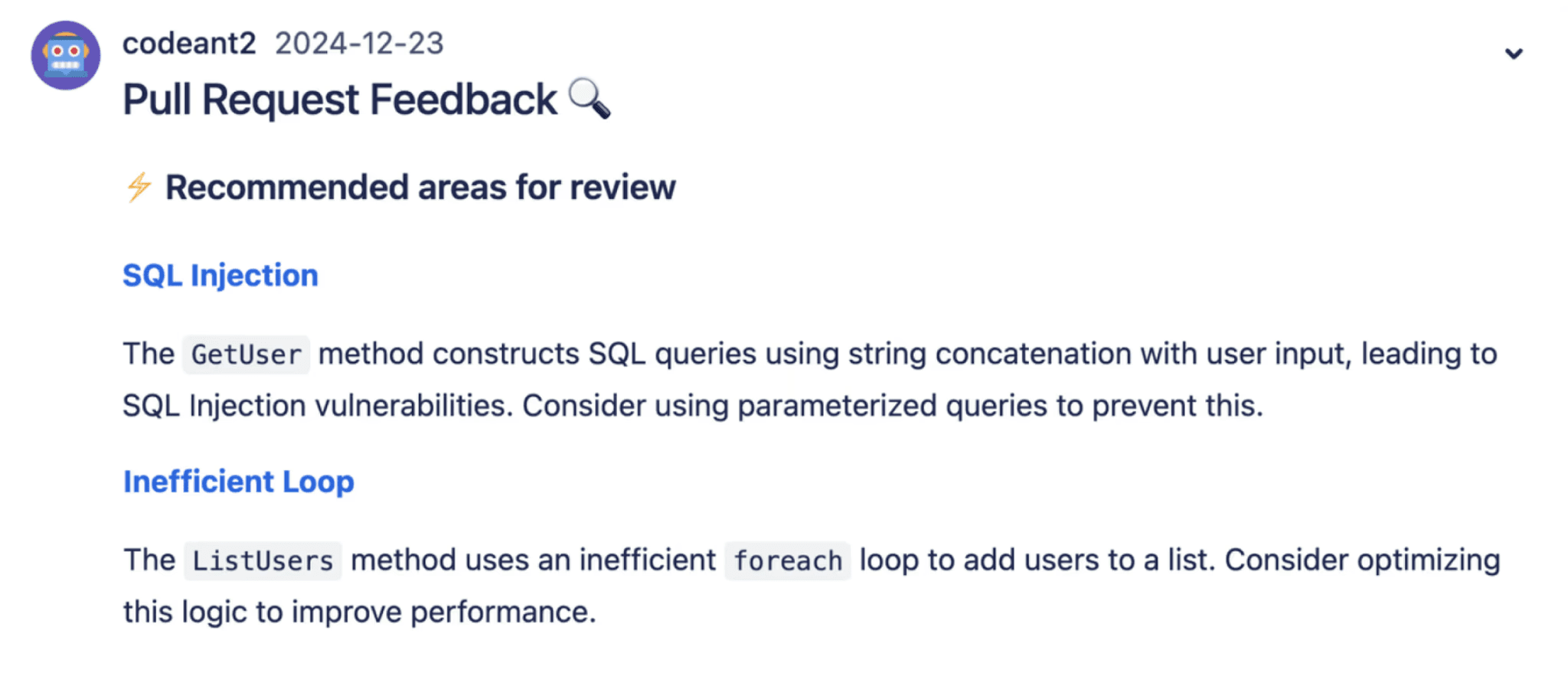
Findings arrive as inline comments, and the same analysis posts a build status. Require that status in a merge check and a critical finding stops the merge. Rovo Dev comments. It does not hold the gate.
The issue link, the review, and the gate then live in one place instead of three, which matters most when someone has to reconstruct why a change shipped.
3. It brings security the native reviewer does not have
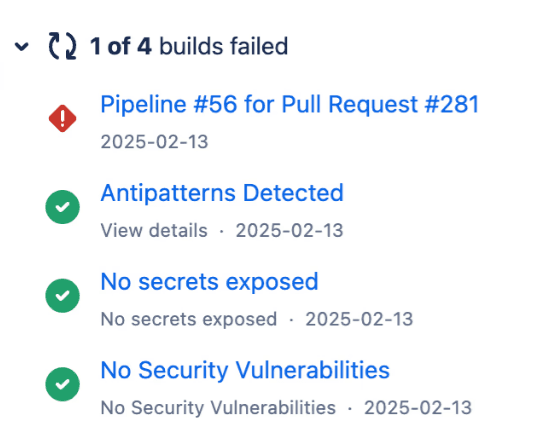
Rovo Dev is a general LLM reviewer with no dedicated SAST, secret, or IaC scanning. That is the actual gap on Bitbucket, and it is why most teams end up running two tools.
SAST, SCA, IaC scanning, and secrets detection run in the same pass as the review rather than as a separate scheduled scan. Security findings carry Steps of Reproduction showing the full path rather than a rule identifier, so a reviewer can judge the finding instead of googling a rule ID.
For a team already assembling audit evidence from the Jira link, the security result arriving on the same pull request removes one more manual compilation step. And unlike Rovo Dev, whose Data Center support is still in beta, it runs on self-hosted Bitbucket today.
The Bitbucket integration page covers setup, and the integrations list covers the other platforms if you run more than one.
Review the Change, Not Just the Diff
A pull request without its issue is a set of changes with the reasoning removed. The reviewer can still check whether the code is correct. They cannot check whether it is right.
The Bitbucket Jira integration costs almost nothing to set up and most of its value comes from one habit, which is creating the branch from the issue rather than from the terminal. Everything downstream follows from that. Make it enforceable once the habit holds, not before.
Where to start this week
Pull the last twenty merged pull requests in your busiest repository and count how many have a Jira issue key in the title or branch name. That percentage is your real traceability, and most teams are surprised by it. If it is under half, the fix is not a merge check, it is showing the team the Create branch button on the Jira issue, which removes the step people are skipping.
Book a walkthrough with our team →
Related reading
Bitbucket Code Review: Step-by-Step Guide: the review workflow this linking sits inside.
Bitbucket Data Center AI Code Review: what changes on self-hosted Bitbucket.
Best Bitbucket Code Review Tools: which tools read work-item context and which only read the diff.
10 Best AI Code Review Tools: the cross-platform ranking, if you run more than one Git host.
Bitbucket vs GitHub for Code Review: how issue linking compares with GitHub Issues and Jira Smart Commits there.
Azure DevOps AI Code Review Guide: the equivalent work-item linking on Azure Boards, if you run both.

