

The best StackHawk alternative depends on the required security result. CodeAnt AI focuses on source-aware exploit confirmation and attack-path analysis, while Bright provides developer-run DAST with an agentic build-fix-rescan workflow.
APIsec specializes in API exploit validation. Invicti and Burp Suite DAST address enterprise web portfolios.
HCL AppScan bundles a broader testing suite, whereas ZAP provides a free scanner for teams prepared to operate it.
The term “DAST alternative” covers several distinct product models. Some run pipeline scans, while others perform autonomous pentests.
API authorization tools and enterprise application-security platforms form two more categories. These products overlap without replacing the same work because SAST and DAST answer different questions.
TL;DR
Alternative | Best fit | Primary testing model | Public price as of July 31, 2026 | Main trade-off |
|---|---|---|---|---|
CodeAnt AI | Source-aware exploit confirmation plus code-security consolidation | AI pentesting with black-, gray-, and white-box depth | Pentest pricing is outcome-based; code-review premium is $24/user/month | Not a like-for-like HawkScan CI job replacement |
Bright Security | Developer-run DAST and agentic fix verification | DAST for web/apps/APIs; STAR builds, scans, fixes, and rescans | Custom quote | Requires a representative runnable environment |
APIsec | API authorization, business-logic, and endpoint validation | Application modeling and exploit validation | $690/month per 100 endpoints for Standard | Endpoint count becomes a commercial and inventory concern |
Invicti | Enterprise web/API portfolios and proof-based finding triage | DAST-first platform with broader AppSec packaging | Custom quote | Broader platform may exceed a small team’s needs |
Burp Suite DAST | Portfolio automation backed by Burp’s scanner | Recurring and CI-driven automated DAST | Custom quote; usage option adds per-hour scan charges | Different product from the hands-on Burp Professional toolkit |
HCL AppScan | Organizations consolidating DAST, SAST, IAST, and SCA | Cloud or self-managed AST suite | Custom quote | More platform and deployment choice to evaluate |
ZAP | Teams that can own scanner engineering | Free, open-source web scanner and automation framework | $0 software license | You own hosting, tuning, updates, triage, and reporting workflow |
I started with each product’s runtime web coverage and API depth. I then examined how authenticated scans work within its deployment model.
The comparison also considers the quality of the evidence and how the product operates in CI. Pricing is assessed against the unit each vendor uses to meter the service.
I did not run a head-to-head scanner benchmark. Product behavior and pricing below are based on official documentation observed on July 31, 2026.
What StackHawk actually includes in 2026
StackHawk’s documented runtime scanner applies configurations and policies to web applications. Its API coverage extends from OpenAPI/REST and gRPC to GraphQL and SOAP targets.
The platform manages applications and their findings within a shared policy layer. User controls and integrations sit in the same management surface.
A REST API supports automation, while this guide to integrating security testing into CI/CD supplies questions about triggers and gates.
The pricing page lists two plans. Wingman costs $10 per user per month, with a 14-day trial and unlimited applications.
Each Wingman user receives 50 scans per month.
Scale is quote-priced and adds attack-surface discovery alongside sensitive-data detection. Program reporting is also included.
The plan lists unlimited applications and unlimited agentic scans.
Compare those units with the broader SAST pricing models and cost drivers. Each alternative meters a different object, such as a seat or an application.
Others charge for endpoints or scans. A low entry price may therefore rise sharply at your actual inventory size.
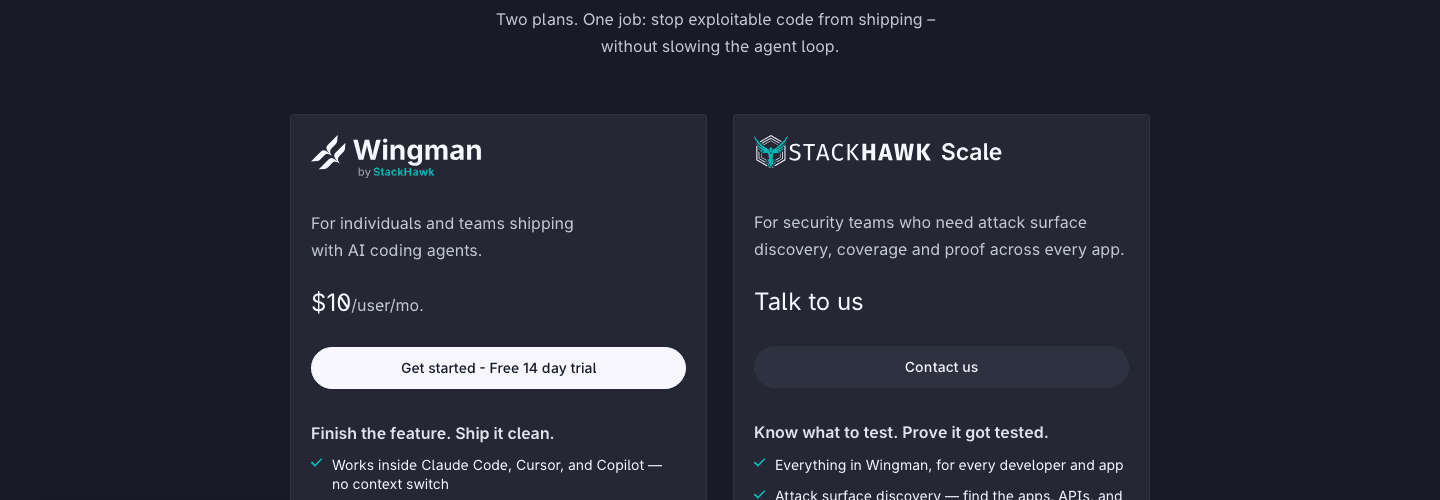
*StackHawk’s public pricing page shows Wingman at $10 per user per month and Scale as a contact-sales plan.*
Compare StackHawk alternatives when you need source-aware penetration testing or specialist API authorization testing. Enterprise portfolios may instead call for security-tool consolidation.
ZAP offers an open-source scanner without a commercial control plane. Your staff must supply the surrounding continuous code-security scanning workflow.
OWASP describes DAST as black-box testing that interacts with a running application. Its guidance reserves an important role for manual assessment because it can uncover business-logic errors and race conditions.
Manual work may also detect some zero-day vulnerabilities that automated tools miss.
Vendors can extend runtime scans with source context or an application model. Others combine DAST with IAST or agentic reasoning.
This penetration-testing mode comparison distinguishes the inputs each model receives.
Coverage overlap: what each tool replaces
Use this map before comparing individual features:
Security job | Closest alternatives |
|---|---|
DAST in developer or CI workflows | Bright, ZAP |
Source-aware exploit confirmation and remediation context | CodeAnt AI, Bright STAR |
API-specific application modeling and authorization tests | APIsec |
Scheduled scanning across a large web portfolio | Invicti, Burp Suite DAST, HCL AppScan |
Consolidated DAST, SAST, SCA, IAST, secrets, or posture management | Invicti, HCL AppScan, CodeAnt AI |
Free self-managed scanning engine | ZAP |
AI pentesting and traditional DAST use different inputs and produce different evidence. Their testing cadences also differ.
The OWASP API Security Top 10 covers broken object-level authorization and function-level authorization. It also covers sensitive business flows and API inventory risks.
A claim of “API scanning” does not prove coverage of those cases.
Use the OWASP API Security Top 10 and this practical IDOR vulnerability guide to design acceptance tests.
7 best StackHawk alternatives at a glance
Tool | Web DAST | API emphasis | Source context | Deployment signal | Pricing unit |
|---|---|---|---|---|---|
CodeAnt AI | Pentest rather than classic per-build DAST | Web/API exploit chains | Yes, in white-/gray-box modes | Service/platform workflow | Outcome-based pentest; seats for code products |
Bright | Yes | REST, SOAP, GraphQL and agentic API testing | STAR uses repository checkout | CI runner plus Bright services | Custom scope |
APIsec | Runtime validation | Core focus | Multi-source application model | Hosted agents; custom on-prem | Per 100 endpoints |
Invicti | Core focus | Discovery and stateful API testing | Available through broader platform layers | Cloud and on-prem | Quote |
Burp Suite DAST | Core focus | Web and API scanning | No source requirement for DAST | Cloud, self-hosted, CI-driven | Quote or annual license plus scan hours |
HCL AppScan | Core focus | Web APIs and dedicated API offering | SAST/IAST available in suite | Cloud and self-managed products | Quote |
ZAP | Core focus | OpenAPI, SOAP, GraphQL automation jobs | No | Desktop, daemon, Docker | Free software |
7 best StackHawk alternatives in 2026
1. CodeAnt AI — best for source-aware exploit confirmation
What it does
CodeAnt’s source-aware AI penetration testing supports black-box testing and gray-box testing with code memory. White-box testing adds full source access.
Its published workflow pairs demonstrated exploitability with engineering evidence. Audit-mapped reporting then carries each finding through remediation and re-verification.
Inspect the sample pentest report before accepting “audit-ready” as a label.
This is not the same as running a DAST policy on each build.
*CodeAnt’s public pentesting page states that an audit-grade SOC 2 or ISO 27001 PDF report is delivered within 48 hours.*
Verified strengths
CodeAnt combines outside-in testing with source context when the engagement permits it. Its published AI penetration-testing methodology describes the phases and includes retest and verification.
It can sit beside the controls on the CodeAnt code-security page. The SAST and software-composition analysis layers address code and dependency risk, while pentesting uses outcome-based pricing.
Where it stops
An engagement-style AI pentest does not prove that each pull request received deterministic HawkScan-equivalent coverage. A release gate needs a fixed policy and a specific scan command that returns machine-readable results.
Retain pipeline DAST if the pentest workflow lacks those controls. CodeAnt’s code-security gating is separate.
How it compares with StackHawk
Choose CodeAnt to prove and trace an exploitable path; choose a pipeline DAST tool to enforce a configured build policy. CodeAnt also supplies secrets detection and IaC scanning.
Its SBOM covers another area that runtime scanning cannot provide.
Pricing
The public pentest page describes payment around confirmed high/critical exploit evidence and says re-scans are free. CodeAnt’s separate code-review Premium plan is listed at $24 per user per month, while enterprise packaging is custom.
Verify the exact product bundle on the current CodeAnt pricing page. Use this penetration-testing cost breakdown to expose scope and retest assumptions in the quote.
When to choose CodeAnt AI
Choose CodeAnt when exploit proof and source-to-runtime context matter more than a command-for-command HawkScan replacement. Its audit delivery fits an engagement workflow rather than a per-build DAST gate.
2. Bright Security — best for developer-run DAST with agentic fix verification
What it does
Bright documents DAST for web applications and server-side mobile applications. Its API testing covers REST and SOAP services as well as GraphQL.
Teams can operate it through the web app and REST API, or through CLI and CI/ticketing integrations. The GraphQL penetration-testing checklist provides acceptance cases for authorization and depth controls, including batching and introspection behavior.
Bright STAR adds an agentic workflow that runs against a repository checkout in CI. Its documented sequence is:
Detect the stack.
Start the application or a function harness.
Run dynamic tests.
Propose code fixes.
Restart the target.
Rescan to verify the change.
Verified strengths
Bright keeps runtime testing close to the build and covers APIs beyond browser crawling. STAR connects confirmed behavior to a code change and verification pass, with command-line and API interfaces for automation.
Where it stops
The agent needs a safe and representative target. If dependencies prevent the application from starting, document the exercised routes and identities.
A harness can change the behavior under test. A generated fix remains unverified until the rescan and your tests agree; this automated-pentesting mistakes checklist covers common failures.
How it compares with StackHawk
Bright preserves developer-run dynamic testing while adding agentic fixes. Measure authenticated coverage and scan duration, then record how many production-relevant endpoints it reached.
This DevSecOps automated-testing comparison adds release gates to the scorecard. It also tests the quality of the evidence and the cadence for retesting.
Pricing
Bright does not publish a simple fixed rate card. Its official pricing explanation ties packaging to application scope and coverage depth.
The deployment model and authenticated flows affect the quote. API coverage and CI/CD use can change it further.
When to choose Bright
Choose Bright when CI-native DAST is the non-negotiable job and you want to test whether agentic fix-and-rescan shortens remediation.
3. APIsec — best for API exploit validation
What it does
APIsec builds an application model from specifications and endpoint data, then adds authentication and authorization context. Gateway and code inputs refine the model.
Delivery-system inputs can extend it further before the platform generates attacks and records replayable exploit evidence.
Its API-centric scope includes business-logic and role-based access cases. OWASP’s Broken Function Level Authorization scenario supplies a neutral acceptance case for role boundaries.
Verified strengths
APIsec prices and inventories work by endpoint. Its agents support authenticated testing and private APIs.
Standard includes continuous testing and business-logic attacks such as BOLA and RBAC cases. Pro connects the workflow to CI/CD and ticketing systems.
The Pro plan also adds custom attack simulations and advanced reporting.
Where it stops
Per-endpoint pricing makes inventory hygiene material. Start by confirming whether path parameters and HTTP methods count separately.
Then ask how the vendor treats API versions and duplicated gateways. Deprecated routes and ephemeral environments can otherwise inflate the quoted inventory.
A stale specification can report tidy coverage for the wrong API. OWASP calls this Improper Inventory Management.
How it compares with StackHawk
APIsec fits authorization and business-workflow risk. StackHawk stays closer to general DAST, while APIsec requires an application and endpoint model.
Pricing
The current page lists a $0 tier for public test APIs and basic simulations. Standard costs $690 per month per 100 endpoints or $8,275 per year, while Pro costs $2,750 per month per 100 endpoints or $33,075 per year; private and on-premises options are custom.
When to choose APIsec
Choose APIsec for cross-user object access and role boundaries. It also fits stateful API flows when the endpoint inventory is accurate.
4. Invicti — best for enterprise portfolio scanning and proof-based triage
What it does
Invicti’s platform starts with DAST and API security, then adds proof-based validation and workflow automation. Broader application-security posture management can bring SAST and SCA into the package.
Secrets detection and IaC scanning extend that coverage. Container security is also available within the broader platform.
Packages can include SBOM/VEX and runtime prioritization. EPSS-based prioritization estimates exploitation likelihood, so ask how Invicti separates scanner proof from probability and business impact.
Verified strengths
Proof-based scanning validates supported vulnerability types instead of leaving each as an unverified alert. Invicti supports cloud and on-premises deployment.
Scans connect with issue trackers and CI/CD systems, carrying verified results into remediation workflows.
Portfolio reporting gives centralized AppSec teams a shared operating layer. This breadth suits multi-application programs.
Where it stops
“Proof-based” applies to supported cases, not every finding class. Require the pilot report to separate verified results from probable and informational results.
The broader platform needs a governance owner. A reproducible steps-of-reproduction format keeps consolidation tied to a clear release decision.
How it compares with StackHawk
Invicti fits centralized portfolio governance where deployment control matters. StackHawk’s developer model may remain lighter for fewer applications.
Pricing
Invicti publishes package contents but not fixed prices. Web & API is the narrowest quote-based option, while AppSec Core adds a broader set of controls.
AppSec Flex provides the widest packaging. The company also says proof-of-concept licenses are available.
When to choose Invicti
Choose Invicti to govern a large application portfolio and route verified runtime risk through enterprise remediation.
5. Burp Suite DAST — best for portfolio automation backed by Burp Scanner
What it does
Burp Suite DAST automates recurring and CI-driven dynamic scans across web applications and APIs. It uses PortSwigger’s Burp Scanner and offers dashboards and reports.
Its documented integrations connect scans to CI/CD and issue-management workflows. Named integrations include Jira and GitLab, with Trello available as another workflow destination.
A GraphQL API provides another automation path.
Verified strengths
Burp Suite DAST can run as a cloud-hosted or self-hosted service. A headless CI-driven pattern supports pipeline execution.
The product separates portfolio automation from the Burp Suite Professional toolkit used for hands-on testing.
The platform supports recurring schedules and bulk site management. Shared programs gain role-based access and reporting, while teams can use custom configurations and Burp extensions.
Where it stops
Burp Suite DAST does not replace the exploratory work a skilled tester performs in Burp Suite Professional. Automated portfolio coverage and manual research are separate operating models.
The CodeAnt AI versus Burp Suite comparison separates automated testing from agentic testing. It then explains the distinct job performed by operator-led testing.
How it compares with StackHawk
Choose Burp Suite DAST when centralized scanning and deployment flexibility outweigh a developer-first CLI. Measure authentication and infrastructure maintenance during the pilot, then assign each site’s owner.
Pricing
PortSwigger requires a tailored quote. Its pay-as-you-scan option combines an annual license with per-hour scanner usage billed monthly; other subscription configurations are also quote-based.
When to choose Burp Suite DAST
Choose it when an AppSec program trusts Burp’s model and wants portfolio automation distinct from manual pentesting.
6. HCL AppScan — best for a broad AST suite and deployment choice
What it does
HCL’s AppScan family includes AppScan on Cloud and AppScan 360°. Enterprise and Source address other deployment and analysis needs, while Standard provides a desktop product.
AppScan on Cloud combines DAST with SAST. IAST and SCA add further analysis, while its dynamic tools cover API testing.
Its dynamic analysis supports browser applications and web APIs. Private-site scanning and recorded traffic extend coverage to targets that a public crawler cannot reach directly.
The best SAST and DAST tools guide explains the separate defect classes these layers detect.
Verified strengths
HCL offers cloud-based and self-managed product paths under one vendor family. The suite connects runtime testing with source analysis.
Composition and interactive analysis extend that coverage.
Recorded exploration and private-site scanning reach nonpublic targets. Enterprise and desktop DAST variants serve different operating models.
Where it stops
Product breadth creates evaluation work. Document which AppScan product supplies each required control and where its results aggregate.
Record each deployment’s infrastructure and test whether its policy moves from developer testing to centralized reporting. Include the audit evidence mapping in this compliance guide.
How it compares with StackHawk
HCL AppScan is the stronger candidate when procurement wants a multi-technique suite or a self-managed enterprise platform. StackHawk can be simpler when the immediate job is runtime testing inside a developer workflow.
Pricing
The current public product and documentation pages do not show a fixed rate card for the compared suite. Require the quote to identify the products and environments before comparing costs.
The same quote should state scan capacity and support coverage. Renewal terms need to be explicit as well.
When to choose HCL AppScan
Choose HCL AppScan when deployment control and multi-layer testing justify the additional platform evaluation. DAST and SAST form the core of that broader case.
IAST and SCA add more testing depth, while the API tools extend coverage beyond browser applications.
7. ZAP — best free, self-managed StackHawk alternative
What it does
ZAP is a free and open-source web application security scanner. It can run as a desktop proxy or daemon, with a Docker image available for containerized jobs.
Its Automation Framework supports repeatable OpenAPI and SOAP jobs as well as GraphQL testing.
The automated pentesting checklist covers authorization and scope controls outside the scanner. It also defines the evidence and retesting work needed to operate the scan as a security control.
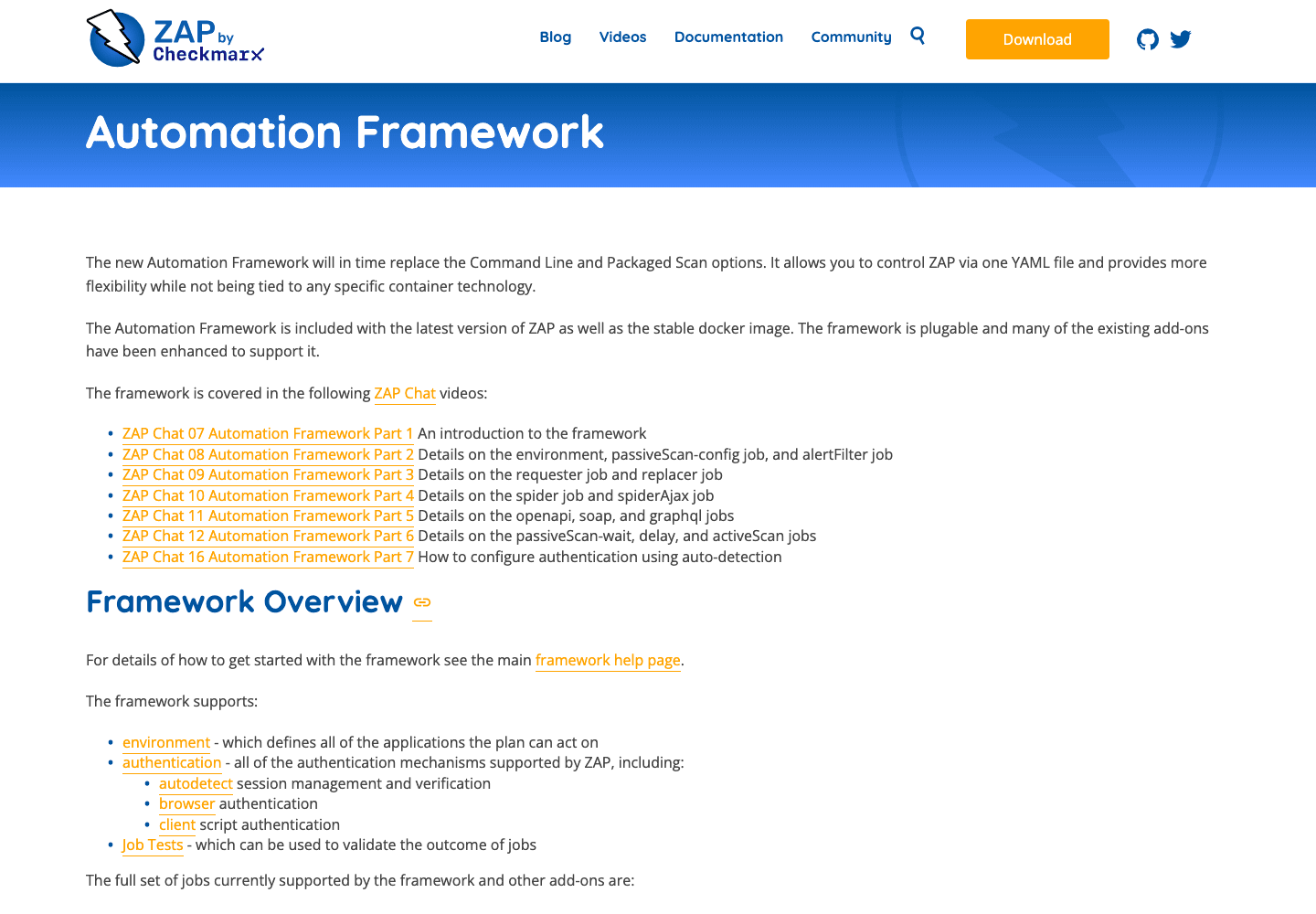
*ZAP’s public documentation describes a YAML-controlled Automation Framework with authentication and pluggable job support.*
Verified strengths
ZAP has no license fee, and its code and add-ons are open for inspection. It supports an interactive proxy and headless automation on desktops or in Docker.
Where it stops
Free software does not remove operating cost. Your team owns hosting and authenticated-session handling, along with policy tuning and add-on compatibility.
The same team must manage upgrades and triage. It also owns the reporting workflow and integrations.
Compare that labor with this continuous versus annual pentesting guide.
How it compares with StackHawk
ZAP supplies the scanner and automation building blocks. StackHawk adds a commercial management layer with support and agentic application-testing workflows.
Compare total operator hours, not license price alone.
Pricing
ZAP is free and open source. Budget for the infrastructure and engineering work required to make it a dependable control.
When to choose ZAP
Choose ZAP for an inspectable scanner your team can maintain. Avoid it if you need a vendor-managed control plane.
How to choose a StackHawk alternative
Run the same authorized pilot through each finalist. OWASP’s Web Security Testing Guide recommends tailoring tests to the application.
A generic demo cannot validate your authentication or API shape. Nor can it prove the product works inside your deployment boundary.
Establish a written pentest authorization and statement-of-work boundary before any active test.
1. Define the security decision
Write one concrete decision the tool must support:
Block a release when a new exploitable API authorization defect appears.
Maintain current DAST coverage across 300 sites.
Produce audit-ready proof and verified remediation.
Each decision produces a different shortlist. This provider-evaluation framework keeps the pilot focused.
2. Use a representative non-production target
Build the non-production target around a frontend and documented API. When authorized, add a drifted route and exercise multiple roles through a state-changing flow.
Seed known test defects in an isolated environment. For a multi-tenant target, add the isolation cases in this multi-tenant SaaS penetration-testing guide.
3. Measure coverage, not scan completion
Record how many routes the tool discovered and how many it exercised after authentication. Count the tested roles and the API methods reached.
Then check whether the scanner completed the required state transitions. A green “scan finished” status does not identify the areas it failed to enter.
4. Separate detection from evidence
Begin by separating informational results from suspected defects. A reproducible finding should include evidence, while an exploit-validated result should prove impact safely.
The evidence should include the request and response. Where source context is available, connect it to remediation and a reliable retest.
CVE-2026-28292’s command-injection path provides a concrete benchmark. For an analogous isolated defect, require the tool to show the attacker-controlled input and dangerous sink alongside non-destructive proof.
5. Measure operating cost
Start the operating-cost calculation with setup time and ongoing authentication maintenance. Then account for pipeline duration and scanner infrastructure.
Triage time and support dependencies add operational cost. Compare the result with the annual price at your actual application or endpoint count.
Ask how preview environments and branches affect the bill. Repeat the calculation as subdomains and HTTP methods expand the inventory.
Include any additional scanners before comparing annual totals.
Bind support and remediation expectations to measurable PTaaS service-level agreements.
6. Keep complementary controls
NIST’s Secure Software Development Framework treats secure development as integrated practices across the SDLC and emphasizes addressing root causes. DAST can observe exploitable runtime behavior, but it does not replace source analysis or dependency and secrets scanning.
Threat modeling and manual business-logic testing still address different questions. The security program also needs explicit remediation ownership.
The defensive-versus-offensive security model shows where those controls meet.
If StackHawk meets the documented pilot requirements at an acceptable operating cost, do not switch.

