

The best Intruder alternative depends on the assets and workflows in scope. CodeAnt AI code security covers application security from pull request through pentest, while Detectify focuses on external attack-surface discovery and web testing.
Tenable Vulnerability Management and Rapid7 InsightVM suit hybrid infrastructure. Greenbone Community Edition provides a self-hosted scanning option.
This guide compares Intruder.io, the vulnerability-management platform. It does not compare replacements for the request-fuzzing tool named Intruder inside Burp Suite; CodeAnt maintains a separate CodeAnt AI versus Burp Suite comparison for that buying question.
TL;DR
Alternative | Best fit | What it replaces well | Main boundary | Public price as of July 31, 2026 |
|---|---|---|---|---|
CodeAnt AI | Engineering teams securing code and running application pentests | SAST, secret scanning, AI remediation, black/gray/white-box pentesting | Not a general-purpose infrastructure VM replacement | Pentest page says $0 engagement fee and payment on a working PoC; code platform has free and paid plans |
Detectify | Internet-facing apps and external attack surfaces | Domain/IP discovery, surface monitoring, authenticated app and API scanning | Scanning products add usage charges to the platform fee | Platform fee from €0 annually; paid tiers from €2,500 |
Tenable Vulnerability Management | Enterprise and hybrid asset estates | Infrastructure scanning, agents, prioritization, reporting, API | Web-app and attack-surface products are separately packaged | $3,700/year for 100 assets |
Rapid7 InsightVM | VM teams that need distributed scan engines and remediation reporting | Internal asset scanning, policy assessment, risk and remediation workflows | Broader attack-surface context now sits in Exposure Command packaging | From $1.62 per asset/month at 500 assets |
Greenbone Community Edition | Teams able to operate their own scanner | Open-source network vulnerability scanning and management | You own deployment, feed operations, tuning, and support | Open source; infrastructure and operator time are not free |
For custom applications, evaluate AI penetration testing and the controls needed for continuous pentesting. Infrastructure evaluations should cover servers and endpoints, then test whether network devices require separate discovery or scan policies.
What Intruder actually includes in 2026
Intruder publishes four plans from Free through Enterprise. Free runs external scanning and checks one cloud account each week.
The plan includes two container-image scans and remediation scans. It monitors ports 80 and 443 for up to three users.
Cloud checks cloud accounts and container images daily. Emerging Threat Scans and custom schedules extend that cadence.
Authenticated testing covers web apps and APIs, with monitoring expanded to the top 10 ports. The plan also connects to more than 15 integrations.
Pro introduces agents for internal servers and employee devices. It covers ten cloud accounts and monitors the top 50 ports.
Enterprise adds unknown-asset discovery and monitoring across all ports. More than 1,000 attack-surface checks broaden its discovery coverage.
Enterprise removes cloud-account limits and adds advanced access control.
Code-level alternatives analyze different inputs. Software composition analysis inspects third-party dependencies, while IaC security and cloud-configuration scanning analyze deployment definitions and cloud settings.
That breadth creates four distinct replacement jobs:
Discover and monitor internet-facing assets.
Scan infrastructure, cloud resources, containers, web apps, and APIs.
Prioritize findings using exposure and threat evidence.
Move a finding through ticketing, remediation, rescanning, and audit evidence.
No alternative below matches that scope in exactly the same package. SAST and DAST solve different parts of the problem, while external attack-surface management discovers exposed assets.
An ASPM layer can correlate findings, but it does not create missing scan coverage.
Intruder pricing context
As of July 31, 2026, Intruder’s paid plan cards did not expose fixed dollar amounts. Cloud and Pro use a base fee plus a per-target charge, while Enterprise requires a custom quote.
A target license is assigned when the target is scanned and remains used for 30 days. A short-lived cloud target can therefore occupy a license after it disappears.
The free trial includes Cloud features and five licenses for 14 days. When comparing quotes, normalize the bill to the same asset set and scan period.
Use a security-tool consolidation worksheet to identify duplicated licenses and missing coverage.
Coverage overlap: what each alternative replaces
Security job | Intruder coverage | Alternatives to shortlist |
|---|---|---|
External asset discovery and change monitoring | Cloud sync, subdomain/asset discovery, exposed ports and services | Detectify; Rapid7 Exposure Command; Tenable ASM as an add-on |
Internal infrastructure vulnerability management | Agent-based internal scanning on Pro and Enterprise | Tenable VM; Rapid7 InsightVM; Greenbone |
Authenticated web app and API testing | Included from Cloud upward | Detectify; CodeAnt for application pentesting |
Source-code and pull-request security | Not the core scope described on Intruder’s vulnerability-management pages | CodeAnt AI |
Self-hosted scanner and data control | Managed SaaS with agents for internal scanning | Greenbone Community Edition |
Threat-aware prioritization | Exploit likelihood, CVSS, Emerging Threat Scans | CodeAnt EPSS context; Tenable; Rapid7; your own CISA KEV/EPSS workflow |
Use the guide to vulnerability-scanning tool categories and the application-testing comparison to define each pilot’s scope. A DAST pilot should not be judged on endpoint inventory, and an infrastructure scanner should not be judged on business-logic testing.
5 best Intruder alternatives at a glance
Product facts and prices were checked against official pages on July 31, 2026.
Product | External discovery | Infrastructure VM | Web/API depth | Source-code context | Deployment |
|---|---|---|---|---|---|
CodeAnt AI | Limited overlap | No general-purpose VM claim | AI pentesting for applications | Strong: SAST, secrets, fixes, attack paths | Managed platform |
Detectify | Strong | Internal scanning available in higher packaging | Strong DAST and API scanning | No SAST claim in evaluated scope | Managed platform plus internal agents |
Tenable VM | Available through broader/add-on products | Strong | Separate web-app product | No source-code layer in VM package | Cloud management with scanners and agents |
Rapid7 InsightVM | Broader context through Exposure Command | Strong | Separate AppSec capability | No source-code layer in InsightVM | Console plus distributed scan engines |
Greenbone Community Edition | Target discovery and scanning, not managed EASM | Strong for network hosts | Not a dedicated modern DAST platform | No | Self-managed open-source stack |
1. CodeAnt AI — best for code-to-pentest application security
What it does
CodeAnt connects repository findings with evidence from a running application. Its pull-request SAST maps findings to OWASP and CWE.
The analysis adds EPSS context and traces attack paths.
The same review can propose code changes. Secret scanning detects hard-coded credentials.
The pentesting product can run with black-box access or use code and credential context through white-box and gray-box modes. Its public page promises a full report within 48 hours and provides a pentest sample report.
CodeAnt’s guide to the benefits of AI pentesting evaluates exploit evidence and remediation workflows. Teams buying for an audit should also test the report against their AI-pentesting compliance requirements.
Verified strengths
Pull-request scanning moves detection before deployment, and attack-path context connects an entry point to impact instead of presenting a flat issue list. AI-generated fixes show the before-and-after code change.
Pentesting can use application and code context at different access levels. Findings can move to Linear and be reverified after the fix, while a steps-of-reproduction workflow gives engineers a concrete starting point.
Where it stops
CodeAnt’s evaluated product pages do not describe general-purpose internal network scanning or employee-device agents. They also do not claim cloud asset inventory or continuous external port monitoring.
Its SBOM capability describes application dependencies, not a host inventory.
Pair CodeAnt with infrastructure vulnerability management when the brief covers routers and endpoints. The additional layer should also cover operating-system patches and unknown external assets.
How it compares with Intruder
Intruder starts from deployed infrastructure and cloud assets. It also scans containers alongside web apps and APIs.
CodeAnt connects source code and pull requests to remediation and application pentesting.
Choose between them by asking where the team needs the causal evidence. An infrastructure team needs the affected host and service.
An application team instead needs the vulnerable line and the reachable path. A working proof establishes impact, while a patch resolves the flaw.
Pricing
CodeAnt’s public pentest page says the engagement fee is $0 and payment is due when CodeAnt ships a working proof-of-concept exploit; it also lists free unlimited rescans and a 48-hour report. Its code-security pricing has free and paid packages.
Confirm the scope and targets in the order form. Record the testing authorization there as well.
The contract should define what qualifies as a payable PoC.
The pentest authorization guide explains the permission details to settle first.
When to choose CodeAnt AI
Choose CodeAnt when custom applications are the protected asset and developers own remediation. Use the AI-pentesting provider selection guide to test authorization and evidence quality, then validate retesting and delivery claims.
Choose an infrastructure-first alternative when the inventory includes operating systems or network devices. The same applies to endpoints and cloud resources outside the application delivery workflow.
2. Detectify — best for external attack surfaces and web applications
What it does
Detectify combines Surface Monitoring with Application Scanning. Surface Monitoring can begin from a root domain before expanding into its connected assets.
An IPv4 address or CIDR range can start discovery instead. Detectify then links discovered domains and subdomains to attributed IP addresses.
Open-port detection reveals exposed services. Technology fingerprints provide context for payload-based tests.
It then applies payload-based tests.
Cloud connectors can add assets that DNS discovery misses.
Application Scanning uses crawling and fuzzing against authenticated states. It also covers single-page applications and JavaScript-heavy interfaces.
Scans can run on a schedule or through an API.
Use the web-application pentesting test cases to measure crawler reach and exploit evidence separately.
Verified strengths
Continuous external discovery identifies internet-facing assets and services. Payload-based tests validate behavior instead of relying entirely on version inference.
Application scanning supports authentication and modern client-rendered apps. Surface and application findings share one vulnerability view, while custom policies route actions after attack-surface changes.
Where it stops
Detectify configures deep Application Scanning per selected app. Internal scanning and CI/CD integration appear in higher packages, and each scanning product carries an additional asset or target charge.
Treat each domain as a separate license unit from an application or API. IP ranges and internal environments may introduce additional units.
Then compare the workflow against continuous pentesting in CI/CD.
How it compares with Intruder
Detectify is the closest option here for internet-facing discovery plus DAST. Intruder’s paid tiers extend beyond that scope into infrastructure and cloud assets.
They also cover containers.
Both products cover web apps and APIs. Detectify’s packaging exposes components separately, which supports precise scoping but requires a more careful price model.
Pricing
Detectify lists annual platform fees from €0 for Starter and €2,500 for Standard. Professional starts at €5,000, while Enterprise starts at €15,000.
Surface Monitoring carries its own usage charge. Application Scanning and API Scanning are priced through their respective usage units.
Professional includes one internal scanning environment; Enterprise includes three. A two-week trial is available.
When to choose Detectify
Choose Detectify when unknown internet-facing assets and modern web apps are the main risk surface. Use a cloud pentest checklist to test cloud-facing scope explicitly.
For authenticated infrastructure scanning across a large internal estate, start with Tenable and Rapid7. Add Greenbone when self-hosting is a requirement.
3. Tenable Vulnerability Management — best for broad enterprise infrastructure
What it does
Tenable Vulnerability Management is a cloud-managed infrastructure VM platform built around Nessus scanners and agents. Asset inventory and vulnerability intelligence feed its prioritization engine.
Dashboards and reports present the analysis.
The license includes unlimited Nessus scanners and Tenable Agents. It also includes Network Monitors with vulnerability detection and API access.
This makes it suitable for segmented networks and mobile assets that cannot rely on one external scanner. Agents cover assets that are intermittently connected, while scanners can be placed near target networks.
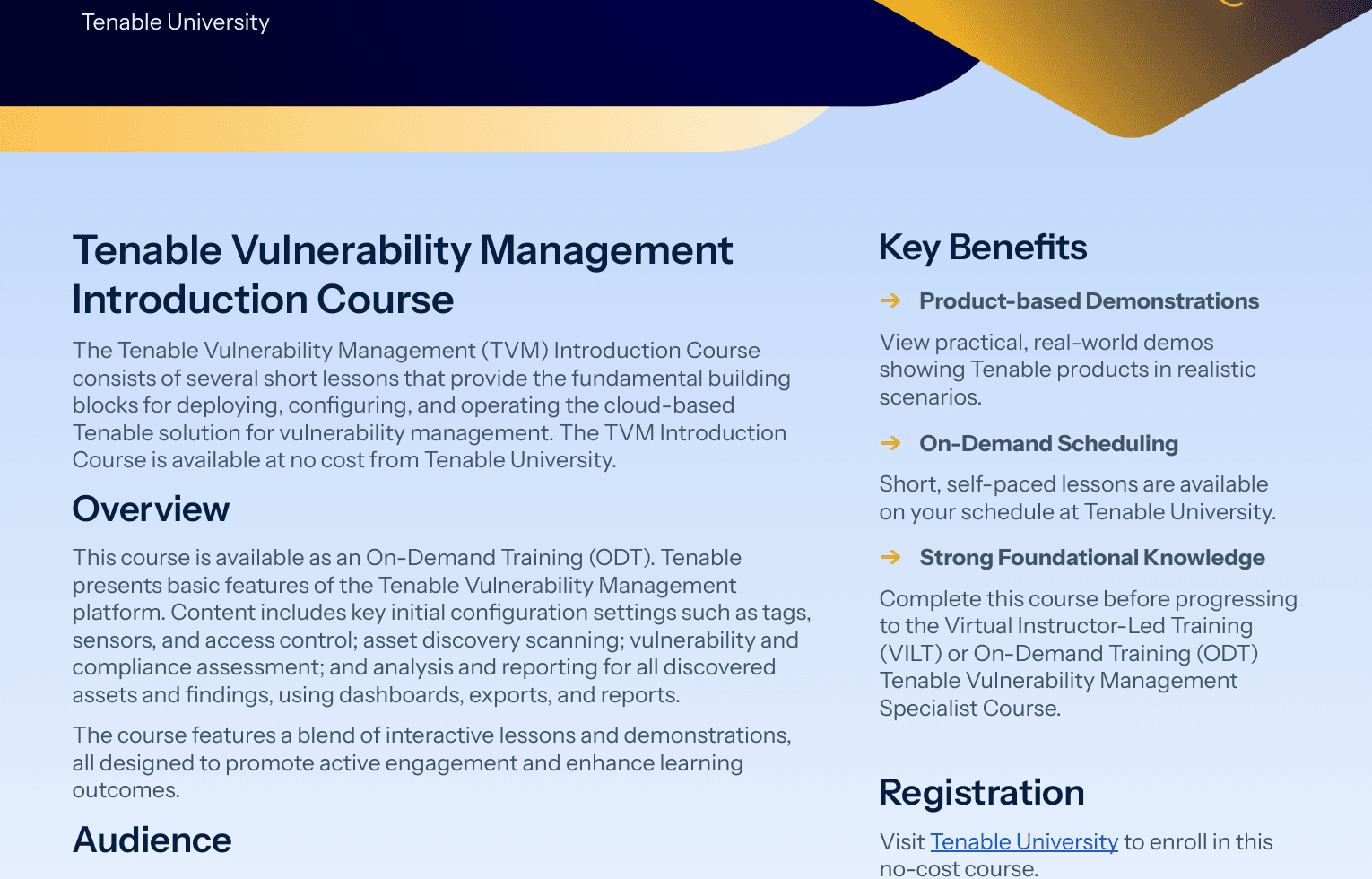
Tenable’s March 2026 training datasheet defines this operational sequence:
Configuration.
Asset discovery.
Assessment and analysis.
Dashboards.
Exports and reports.
Verified strengths
Multiple collection methods cover connected and intermittently connected assets. Asset tagging and scan policies support a structured enterprise inventory.
Vulnerability Intelligence and exposure-response features support investigation and remediation. The API sends findings and assets to other workflows; compare required destinations with CodeAnt’s integration catalog instead of assuming every ticketing path is native.
Web application scanning and attack-surface management are available elsewhere in the Tenable portfolio. Compare that product boundary with an application-security testing workflow.
Where it stops
Tenable Vulnerability Management does not include every Tenable exposure product. The official licensing guide lists Attack Surface Management and PCI ASV as add-ons; Web App Scanning uses its own FQDN-based licensing.
Do not assume an infrastructure VM quote includes the external discovery and DAST scope already present in an Intruder package.
How it compares with Intruder
Tenable is the stronger shortlist candidate for a large internal or hybrid asset estate that needs distributed scanners and agents. Intruder is easier to frame as a consolidated service for lean teams, but its agent-based internal scanning begins at Pro.
Compare scanner placement and credential management alongside detection counts. Measure how easily the pilot rolls out agents and reconciles duplicate assets.
Assign each report an owner before judging the workflow complete.
Pricing
Tenable’s official buy page showed a one-year Tenable Vulnerability Management subscription at $3,700 for 100 assets on July 31, 2026. Licensing is annual and asset-based.
Assessed or imported assets seen in the previous 90 days can count toward the license, while discovery-only assets do not count until assessed.
When to choose Tenable Vulnerability Management
Choose Tenable when infrastructure coverage and multiple assessment methods matter more than having every layer in one small-team package. A cloud-infrastructure security guide can help define the non-host controls in scope.
Keep Detectify or CodeAnt on the shortlist if deep application testing is the central buying job.
4. Rapid7 InsightVM — best for distributed scanning and remediation reporting
What it does
InsightVM uses a Security Console to organize assets and scans. It also manages reports and policies.
Distributed Scan Engines check for known vulnerabilities and available exploits. They also run policy checks.
Prioritization combines Rapid7 vulnerability research with Metasploit exploit knowledge and internet-wide scanning data.
Rapid7 now describes InsightVM as the vulnerability-management technology inside Exposure Command. The Essentials package combines it with attack-surface management; the Ultimate package adds cloud and application-security context.
This is a broader architecture question than static code analysis, which operates before deployment.

Rapid7’s official deployment brief identifies these setup requirements:
Console configuration.
Distributed scan engines and agents.
Scanning sites.
Dashboards and retention.
Remediation projects.
Verified strengths
Distributed scan engines fit segmented internal networks. The Security Console groups assets into sites and manages scan and reporting workflows.
The cloud API exposes core platform objects for integrations. Exposure Command can add attack-surface context around VM data, and a standalone InsightVM trial remains available for evaluation.
Where it stops
Packaging has changed: the broader exposure view is not identical to standalone InsightVM. Rapid7 also states that built-in Automation Workflows are no longer offered to new InsightVM customers, so validate the current ticketing and orchestration path rather than relying on an old demo or article.
How it compares with Intruder
InsightVM fits teams already operating scan engines and a formal remediation program. Intruder instead emphasizes managed operation and cloud synchronization.
Intruder also provides Emerging Threat Scans inside a compact workflow designed for lean teams.
The pilot should test five tasks:
Deploy scanners.
Obtain credentials.
Tune sites.
Assign owners.
Produce a clean remediation report.
Pricing
Rapid7’s pricing page listed InsightVM from $1.62 per asset per month at 500 assets on July 31, 2026. That reference point is $810 per month for 500 assets before contract-specific packaging or services.
Confirm whether the quote is for standalone InsightVM or an Exposure Command package.
When to choose Rapid7 InsightVM
Choose InsightVM when the program requires distributed scanning and internal asset organization. Its reporting also supports a formal remediation program.
Use a DevSecOps tool map to show where ticketing and code controls attach.
Choose Detectify when external web exposure dominates, or CodeAnt when the fix must begin in a pull request.
5. Greenbone Community Edition — best self-managed open-source option
What it does
Greenbone Community Edition is the open-source Greenbone Vulnerability Management stack, also known through its OpenVAS scanner. Scanner services perform the assessments while a management daemon coordinates them.
Operators configure and review that work through the web interface.
The Community Feed supplies vulnerability tests and CVE/CPE data. Its scan configurations determine how those tests run against defined port lists.
Report formats control the resulting output.
The stack can run in containers or be built from stable releases. Greenbone explicitly advises against using daily source checkouts for production because incomplete changes can appear.
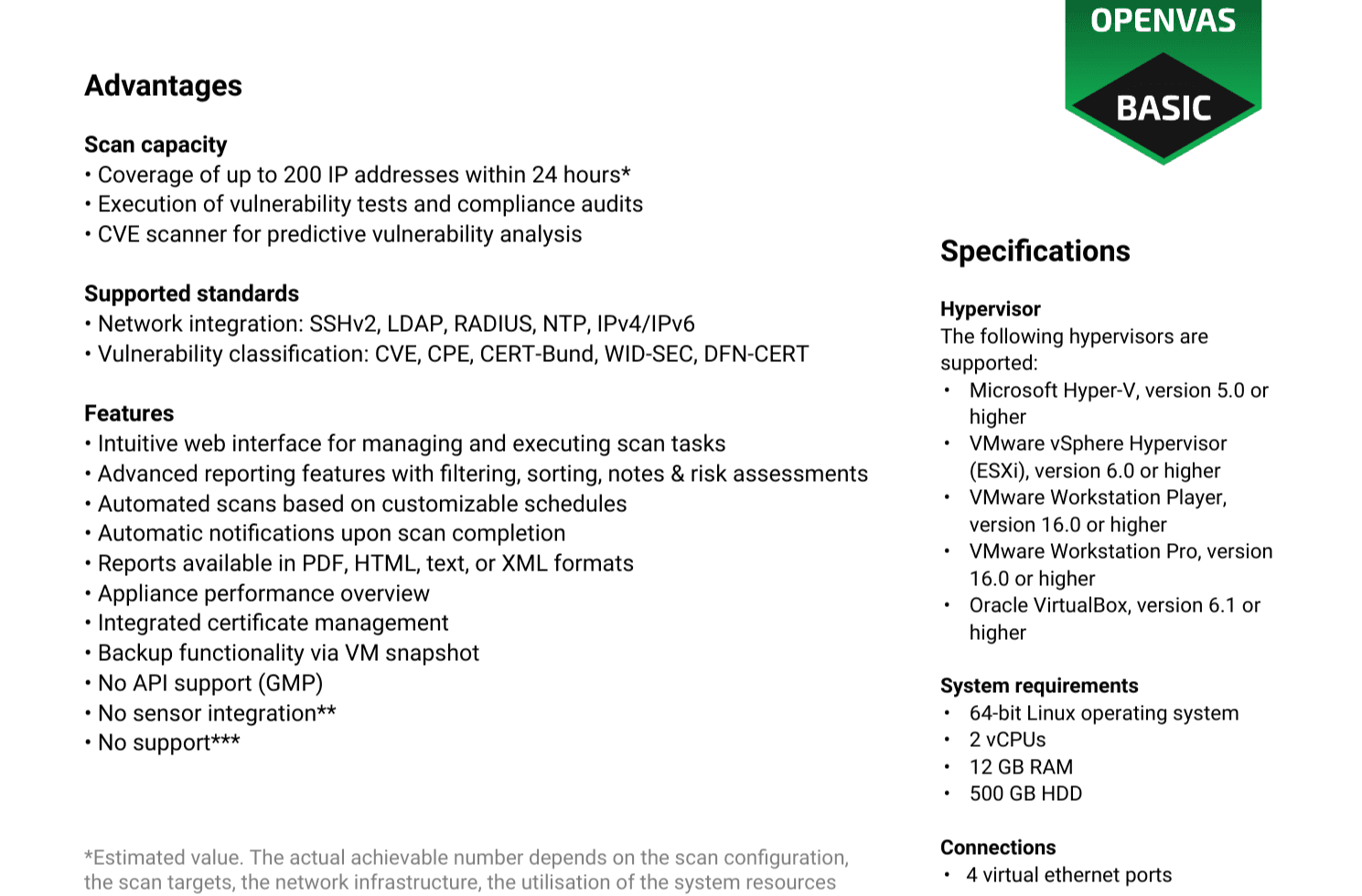
The current OPENVAS Basic datasheet lists:
Hypervisor requirements.
12 GB RAM.
500 GB storage.
Scheduled scans and reporting.
No bundled support.
Verified strengths
Open-source components give the operator control over deployment and scan data. The web interface and management daemon provide more than a bare command-line scanner.
The Community Feed is updated daily, and the management protocol supports automation. Commercial Greenbone products provide a supported enterprise path.
Where it stops
The Community Feed has no warranty or promise of completeness. Greenbone’s Enterprise Feed adds tests for enterprise products and provides policy checks for commercial environments.
Compliance checks and an SLA complete the offering.
The paid feed also includes extra report formats and scan configurations. With Community Edition, the operator installs the stack and keeps its feed synchronized.
The operator must provision storage and maintain scanner performance.
The same team must handle authentication and tuning. It also owns upgrades and troubleshooting.
How it compares with Intruder
Greenbone can replace the scanning engine and management surface for a self-hosted deployment. It does not provide Intruder’s managed external discovery or cloud synchronization by default.
The operator must build an emerging-threat process and support workflow. Commercial integrations require separate coverage.
Pricing
Community Edition is open source, but deployments still incur compute and storage costs. The budget must account for backups and feed synchronization.
Operator time and external support add to that operating cost.
The cost model for automated pentesting captures expenses that do not appear in a scanner license. Greenbone listed OPENVAS BASIC at €2,524 per year, while larger OPENVAS SCAN deployments were quote-based on July 31, 2026.
When to choose Greenbone Community Edition
Choose Greenbone when a scanner-experienced team requires data control and self-hosting. It is the only open-source option in this shortlist.
Review the common automated-pentesting mistakes before assuming that scanner ownership creates testing depth.
Choose a managed product when the security team cannot own another stateful platform.
How to choose an Intruder alternative
1. Write the asset set before booking demos
Begin the license model with external IPs and internal hosts as distinct asset types. Employee devices may introduce another unit under agent-based pricing.
Track cloud accounts separately from container images.
Record root domains and subdomains independently, then count web apps and APIs. Mark every ephemeral asset so the quote reflects license-retention rules.
The cloud-infrastructure security tool guide identifies cloud-specific surfaces. Intruder retains a scanned target license for 30 days, while Tenable counts assessed assets over a 90-day window.
Detectify uses different units for different scanning products. Apply each model to the same asset inventory and assessment period.
2. Separate discovery from assessment depth
Ask the vendor to find an unknown asset and measure how quickly it enters scanning. Record which tests run by default before adding authenticated coverage.
Then select one authenticated application and one authenticated infrastructure target.
Discovery breadth and authenticated depth are different test cases.
Use an automated pentesting checklist and an AI-pentesting versus traditional DAST comparison for the application track. The infrastructure track should include a credential failure and an unreachable subnet.
It should also test duplicate asset identifiers and a rescanned fix.
3. Test prioritization with real decision inputs
A severity score is not a remediation queue. CISA’s Known Exploited Vulnerabilities catalog identifies CVEs with evidence of exploitation in the wild.
FIRST’s EPSS estimates the probability that a published CVE will be exploited in the next 30 days, but FIRST warns that EPSS is not a complete risk score.
The tool should combine threat signals with reachability and business criticality. Current exposure shows whether an attacker can reach the weakness.
Available controls change its urgency, while ownership determines who can move it through the remediation queue.
The CVE-2026-28292 record, backed by CodeAnt’s simple-git security research, provides an example input.
The scanner still needs to prove that the affected package or service exists in your environment and show where the fix belongs.
4. Follow one finding through the full workflow
Do not end the pilot at detection. Run the complete workflow:
Create and assign the ticket.
Inspect the remediation guidance.
Suppress a false positive with a reason.
Re-open the finding.
Apply a fix and rescan.
Export the evidence.
A code-security gating workflow shows the equivalent enforcement point in CI, while confirmed pentest evidence sets a higher bar than detection alone. Record which steps require a security administrator.
5. Compare total operating cost
Normalize license units and add-on products before comparing quotes. Start the operating-cost model with implementation and scanner infrastructure.
Agents and professional services increase that total.
Support and data-retention charges belong in the same calculation. Estimate operator hours separately because self-managed scanners move work from the license line to payroll.
Compare the quote with a SAST pricing framework when the replacement stack includes source-code scanning.
Include the cost of the second tool needed to fill a coverage gap. A partial replacement may still be the right choice, but it should be priced as a stack.
Which Intruder alternative should you choose?
Detectify fits external attack-surface discovery and modern web testing. Tenable Vulnerability Management fits enterprise infrastructure with multiple assessment methods, while Rapid7 InsightVM fits distributed scanning and formal remediation reporting.
Greenbone Community Edition fits self-hosted network vulnerability management. CodeAnt AI covers code-to-pentest application-security workflows, and its code-security dashboard provides a shared view for that layer.
If you need both application depth and enterprise infrastructure inventory, shortlist two complementary layers instead of forcing one product to pretend it covers both.

