AI Code Review
8 GitHub AI Code Review Tools for SaaS Teams (2026)

Sonali Sood

Your team ships twice a day. Your review queue moves once.
That gap is the whole problem. A SaaS team of fifteen engineers across four services does not usually fail on code quality. It fails on review latency, because the person who understands the billing service is asleep, and the pull request that unblocks three others sits open for eleven hours.
GitHub's native review features were built for the conversation, not the cadence. Inline comments, approvals, CODEOWNERS routing, branch protection rules. All of it assumes a human is available when the pull request opens.
AI code review changes what happens in that first eleven hours. A reviewer runs the moment the PR opens, catches the class of issue a tired human skims past, and leaves your senior engineers free for the architecture calls only they can make.
Where this connects: CodeAnt AI runs AI code review and code security scanning on every pull request through a single GitHub integration, so a small team gets review and security coverage without stitching together three separate tools.
This guide covers eight tools, what each one does mechanically on a GitHub pull request, what it costs, and where it stops. If your organisation is past 500 engineers and the deciding factors are SSO, audit logs, and procurement, read the enterprise version of this comparison instead.
Key Facts at a Glance
Question | Short answer |
|---|---|
What AI code review does | Analyses the diff when a pull request opens and posts findings as inline review comments, usually with a suggested fix |
Who this guide is for | SaaS engineering teams of roughly 10 to 100 developers shipping weekly or faster |
Typical setup time | Minutes for GitHub Marketplace apps, hours for pipeline-integrated scanners |
What most tools miss | SAST, secrets detection, and dependency scanning in the same pass as the review |
Free tiers | Available on six of the eight tools below, usually capped by repository count or usage |
What none of them do | Satisfy a required reviewer under GitHub branch protection rules |
What AI Code Review Actually Does on a Pull Request
Before comparing tools, it helps to know what the integration is doing, because the differences between these products live in the mechanics rather than the marketing.
How the reviewer connects to your repository
An AI code review tool installs as a GitHub App with read access to repository contents and write access to pull requests. GitHub sends it a webhook when a PR opens or receives new commits.
The tool pulls the diff, analyses it, and writes back through the reviews API as inline comments on specific lines. Some also post a check run, which is what lets a failing analysis block a merge.
That install path is why Marketplace apps are quick. There is no runner to configure and no pipeline to modify.
What separates a review from a linter
A linter evaluates the changed lines against a fixed ruleset. It has no idea what the code is for.
A useful AI reviewer reads past the diff into the files around it. When a function signature changes, it checks the callers. When a new query is added, it looks at how the input reaching it was validated upstream.
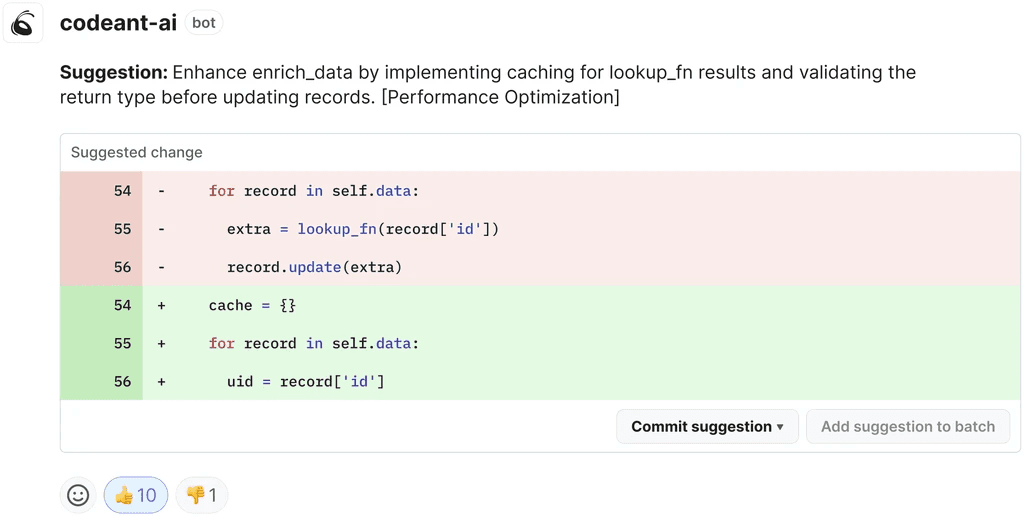
The difference shows up in the comments. A linter says the variable is unused. A reviewer says the early return added on line 40 makes the validation on line 52 unreachable, and shows you the corrected ordering.
Where static code analysis fits alongside the review
Static application security testing, usually shortened to SAST, analyses source code for security defects without running it. It traces data from where it enters your application to where it gets used, which is how injection paths, unsafe deserialisation, and hardcoded credentials get found.
That is a different job from reviewing style and logic, and most review tools do not do it. When SAST runs in the same pass as the review, findings land on the pull request while the author still has context. When it runs as a separate weekly scan, findings land in a backlog.
Where GitHub's Native Review Slows Down a Daily Release Cadence
GitHub's built-in code review works. It just has no answer for the specific pressures of shipping continuously with a small team.
Review latency sets your real deploy frequency
Every pull request waits for a human. On a team where three people can review the payments service, one person taking a week off cuts your review throughput by a third.
The developer who opened the PR does not sit idle. They switch to the next ticket, then pay the cost again when feedback arrives and they have to reload everything they were holding in their head.
That cost is measurable. Cycle time and change lead time are two of the four DORA metrics, and on most small teams the largest single contributor to both is time spent waiting for a first review.
CODEOWNERS routes the pull request but cannot staff it
CODEOWNERS is genuinely useful. It puts the right reviewer on the right file automatically, and combined with branch protection rules it stops changes merging without the owning team's sign-off.
What it cannot do is create reviewer capacity. Routing a PR to the two people who understand the service means those two people are now the constraint on everything touching it.
Small SaaS teams feel this fastest, because the ownership map, the on-call rota, and the holiday calendar all draw from the same handful of people.
Multi-service repositories fragment the reviewer's context
SaaS teams rarely run one repository. They run a frontend, an API, a worker, and a shared library, and a single feature touches three of them.
GitHub presents each pull request in isolation. A reviewer looking at the API change gets no signal that the contract it depends on changed in a different repository that morning.
Dependabot is not application security testing
Dependabot handles known vulnerabilities in your dependency tree, which is real coverage for one part of the problem.
It does not analyse your own source. An SQL injection path your team wrote last Tuesday, an API key committed to a config file, a storage bucket left public in a Terraform change, none of those are dependency issues and none of them surface.
For a SaaS product holding customer records, that is the part of the surface that matters most.
Large pull requests get the same presentation as small ones
A 40-line PR and a 600-line PR look identical in the GitHub interface. There is no summary, no risk weighting, no signal about which of the changed files deserves the attention.
Reviewers respond the way people always respond to undifferentiated volume. They skim, approve, and move on.
The Code Review Checklist an AI Reviewer Should Cover
If you are evaluating tools, this is a practical way to do it. Take a merged pull request from last month that caused a problem, run it through each candidate, and see how many of these it would have caught.
Logic and control flow. Unreachable branches, inverted conditions, off-by-one errors, early returns that skip validation added later.
Error handling. Swallowed exceptions, unchecked nulls on a path that can produce them, failures that log and continue when they should stop.
Injection paths. User input reaching a query, a shell command, or a template without validation or parameterisation.
Secrets in source. API keys, tokens, connection strings, and private keys committed to the repository or added to a config file.
Dependency risk. New packages with known vulnerabilities, and version bumps that pull in a vulnerable transitive dependency.
Infrastructure as code. Public storage buckets, over-permissive IAM policies, security groups open to the world, secrets in environment blocks.
Concurrency. Shared mutable state, missing locks, race conditions between request handlers.
Test coverage on the changed path. New branches with no test exercising them.
Standards specific to your team. The rules your team agreed on that no generic ruleset knows about.
The last one is the sharpest test. Most tools handle the first four. Few let you encode the ninth.
8 GitHub AI Code Review Tools for SaaS Teams Compared
# | Tool | Setup | SAST in the same pass | Free tier | Best for |
|---|---|---|---|---|---|
1 | CodeAnt AI | Marketplace app, minutes | SAST, secrets, IaC, dependencies | Yes | Review and security without a second tool |
2 | CodeRabbit | GitHub App, minutes | No | Yes, open source | Conversational review feedback |
3 | GitHub Copilot Code Review | Built in | No | No, part of Copilot | Teams already paying for Copilot |
4 | Greptile | GitHub App, minutes | No | Trial only | Codebase-wide context on reviews |
5 | Codacy | Direct integration, minutes | SAST-lite | Yes, open source | Quality trends across many repositories |
6 | Qodo | GitHub App, minutes | No | Yes, capped | Closing a test coverage gap |
7 | SonarQube | Pipeline integration, hours | Yes, deep | Community edition | A hard quality gate on merge |
8 | Sourcery | GitHub Actions, minutes | No | Yes, open source | Python-heavy codebases |
1. CodeAnt AI
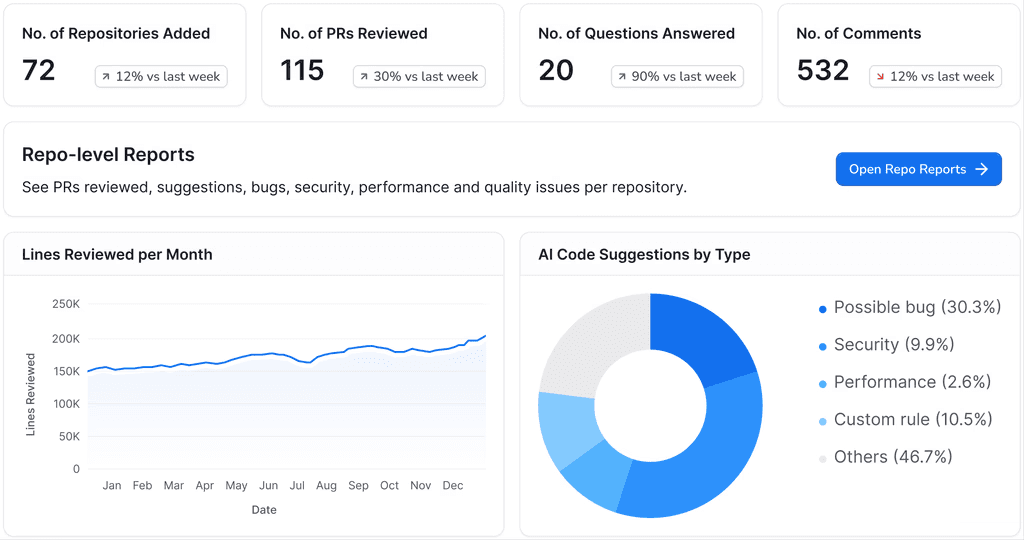
CodeAnt AI reviews the pull request and scans the code in the same pass. It works from the surrounding codebase rather than the diff alone, so its comments account for how the changed code is actually called.
What it does on a pull request. Summarises the change set, posts line-by-line review comments with one-click fixes, and surfaces SAST findings, exposed secrets, dependency risk, and infrastructure-as-code misconfiguration on the same PR.
How the analysis works. It combines AI review with a deterministic engine of more than 30,000 checks across 30 or more languages. The deterministic layer is what keeps findings repeatable rather than varying between runs on the same code.
Custom standards. Organisation-specific policies can be written in plain English rather than as rule configuration, which matters for the ninth item on the checklist above.
Beyond review. Code quality tracking for complexity and duplication, plus DORA metrics and developer analytics covering PR size and review velocity.
Where it stops. Newer than SonarQube or Codacy, so there is less accumulated community configuration to borrow. Analytics and custom rules sit on paid plans.
Best for. SaaS teams who want one tool covering review, security, and code health rather than three tools and three dashboards.
Pricing. Free tier available. AI code review starts at $10 per user per month with a 14-day trial. SOC 2 and ISO 27001 compliant.
👉 Try CodeAnt AI free for 14 days
2. CodeRabbit
CodeRabbit writes plain-language summaries of what a pull request changes, then adds inline suggestions with the reasoning behind each one.
What it does on a pull request. A change summary, line-level suggestions with explanation, and a conversational thread where a developer can disagree and get a response rather than a repeated comment.
Where it stops. It reviews. There is no built-in SAST, no secrets detection, and no quality dashboard, so application security remains a separate purchase and a separate dashboard.
Best for. Small teams who want faster, more readable feedback and already have security covered elsewhere.
Pricing. Free for open source, paid for private repositories.
See how it compares in our CodeRabbit alternative breakdown.
3. GitHub Copilot Code Review
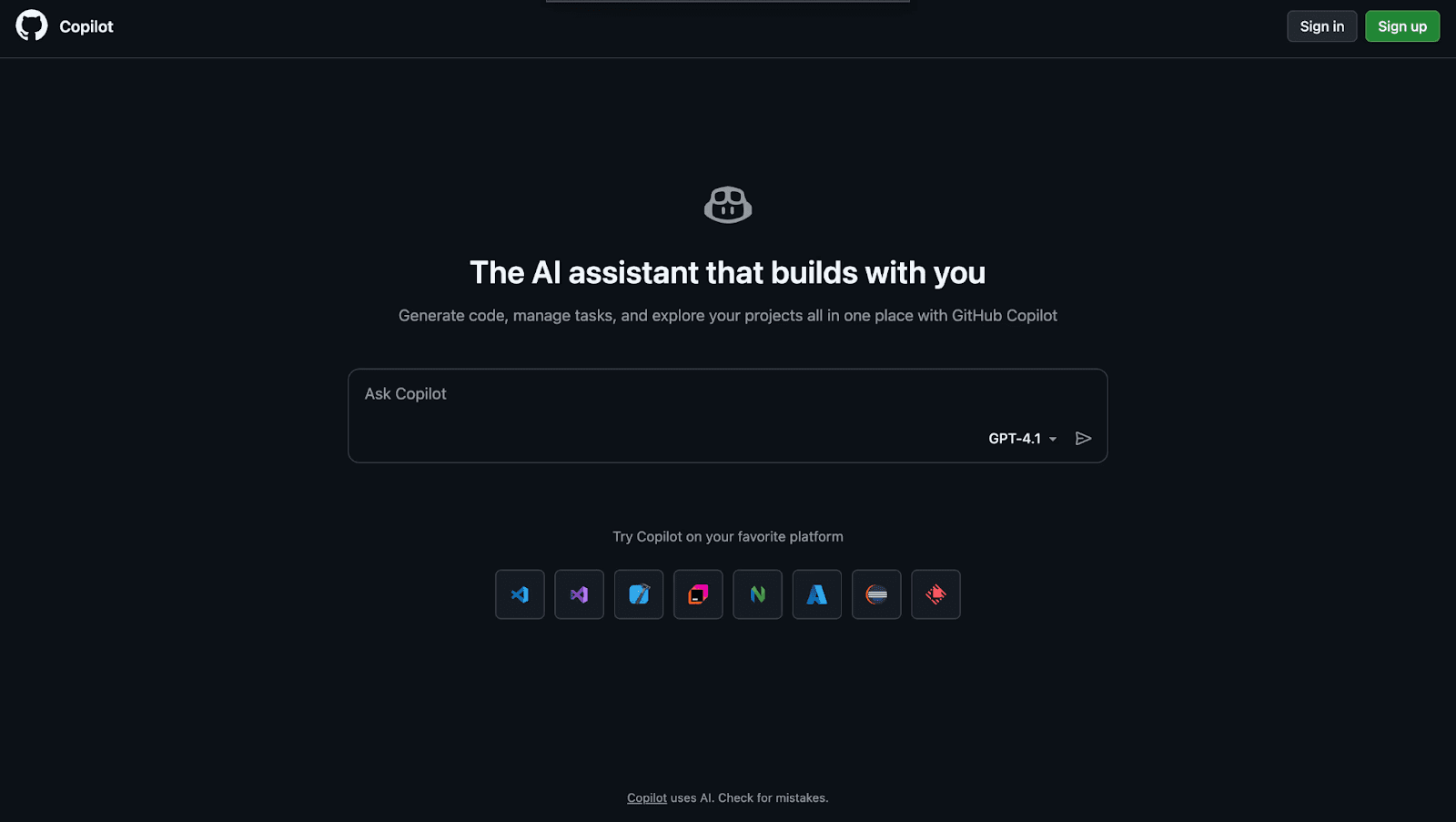
Copilot's review feature is already inside GitHub, so there is nothing to install, no new vendor, and no additional access grant to review.
What it does on a pull request. Generated PR descriptions and inline suggestions on the diff, using the same models as the rest of Copilot.
Where it stops. Security coverage is shallow next to a dedicated scanner, and there is no mechanism for enforcing standards specific to your organisation. Copilot's review comments also do not satisfy a required reviewer under branch protection, so a human approval is still needed before merge.
Best for. Teams already paying for Copilot who want a baseline layer underneath a dedicated security tool.
Pricing. Included in the Copilot subscription.
See our GitHub Copilot alternative comparison for the full picture.
4. Greptile
Greptile indexes the whole repository and answers review questions against that index rather than against the diff in isolation.
What it does on a pull request. Review comments informed by codebase-wide context, which helps most on changes whose blast radius sits outside the changed files.
Where it stops. No SAST, secrets detection, or quality metrics. The index needs to build before the first review, which is a one-time cost on a large repository.
Best for. Teams whose recurring review failure is missed downstream impact rather than missed syntax.
Pricing. Per seat, with a trial rather than a permanent free tier.
5. Codacy
Codacy runs automated quality and style analysis on every commit and tracks how those measures move across repositories over time.
What it does on a pull request. Automated review against a configurable ruleset, duplication and complexity flags, and quality trend dashboards per repository. It supports GitHub, GitLab, and Bitbucket, which helps if you have not standardised on one platform.
Where it stops. The analysis is rule-driven rather than context-aware, its security layer is lighter than a dedicated SAST tool, and the default configuration is noisy until it is tuned.
Best for. Teams tracking quality across a dozen or more small services.
Pricing. Free for open source, paid for private repositories.
Compare it in our Codacy alternative guide.
6. Qodo
Qodo, previously CodiumAI, approaches the pull request through tests. It reads the changed code, generates unit tests for it, and comments on the PR.
What it does on a pull request. Generated test cases for the changed functions plus improvement suggestions on the diff. It also runs in the IDE, so tests can exist before the pull request does.
Where it stops. Test generation is the strong half. Review depth and security coverage are thinner than the tools built review-first.
Best for. SaaS teams with a coverage gap they keep deferring.
Pricing. Free tier with usage caps, paid plans for teams.
See our Qodo alternative comparison.
7. SonarQube
SonarQube is the long-standing static code analysis platform, and its quality gates can block a merge when the changed code fails a defined threshold.
What it does on a pull request. Deep rule-based static analysis, security hotspot detection, technical debt measurement, and a pass or fail gate wired into the merge through a check run.
Where it stops. Rule-driven rather than AI-native, so it evaluates against patterns instead of reasoning about intent. Self-hosting is real infrastructure work, which is a heavier commitment than a fifteen-person team usually wants.
Best for. Teams who want a hard quality gate and are willing to maintain the setup.
Pricing. Community edition is free. Developer and Enterprise editions are paid.
Read our SonarQube alternative breakdown.
8. Sourcery
Sourcery started as a Python refactoring assistant and has widened from there. It rewrites code for readability and performance rather than only flagging it.
What it does on a pull request. Refactoring suggestions posted as comments with the rewritten version included. It also runs in VS Code and PyCharm, and through GitHub Actions.
Where it stops. Language coverage outside Python is still maturing, and it performs no security analysis at all.
Best for. Python-heavy SaaS teams wanting cleaner code without a dedicated refactoring pass.
Pricing. Free for open source, paid Pro plans.
How to Run a Two-Week Pilot
Feature comparisons do not tell you whether a tool will get used. A short structured pilot does, and two weeks is enough.
Pick two repositories, not all of them. Choose the one with the longest average time to first review and one mid-sized service. Rolling out everywhere at once means a bad first week poisons adoption across the whole team.
Replay three known incidents. Take three merged pull requests that later caused a bug, an outage, or a security fix. Run them through the candidate. A tool that catches two of three has earned a real conversation.
Count actioned comments, not total comments. Tally how many of the tool's comments led to a code change. A tool posting 60 comments per PR of which three get acted on is worse than one posting eight of which six do. The ratio is the number that predicts whether your team keeps it.
Measure time to first review before and after. This is the metric the purchase is actually meant to move. Pull the two-week average from before the pilot and compare.
Ask the two most sceptical engineers. Not the ones who suggested the tool. If the sceptics say the comments were useful, adoption will hold after the pilot ends.
How to Choose by Release Cadence and Team Size
Shipping daily, under 25 engineers. Optimise for time to first review and breadth of coverage. A Marketplace app that handles review and security in one install will get used. A scanner that needs a pipeline rewrite will be abandoned in week three.
Shipping weekly, 25 to 100 engineers. Noise control matters more than install speed at this size, because a noisy tool across thirty people generates enough comment volume to train everyone to ignore it.
Multiple languages across services. Check language coverage against your actual stack rather than the headline number. A tool strong in Python and thin in Go will quietly stop being used by half your team.
Handling customer data. Security moves ahead of everything else. If the review tool does not do SAST and secrets detection, you are buying a second tool, and the real cost is both subscriptions plus the time spent reconciling two sets of findings.
Growing fast. Model the price at next year's headcount. Per-seat pricing multiplies cleanly. Usage-based pricing is cheap during a pilot and surprising at thirty engineers.
If your bottleneck is volume rather than coverage, tools built for high PR volume are the closer fit. If most of your review load sits in CI, start with AI code review for GitHub CI/CD pipelines instead.
Ship Daily Without Making Review the Bottleneck
Review latency, not review quality, is what caps how often a small SaaS team can deploy. Every hour a pull request sits unopened is an hour the change is not in front of a customer, and the cost compounds across every open PR at once.
The fix is not hiring more reviewers. It is making sure the first pass has already happened by the time a human opens the tab, so human attention goes to the decisions that actually need judgement.
Where to start this week
Pull the last 30 merged pull requests from your two busiest repositories and calculate the median time between opening and first review comment. That single number is your review latency, and most teams have never measured it. Install one candidate on those two repositories, leave it for five working days, then compare the same number and count how many of its comments led to an actual code change.
Book a walkthrough with our team →
Related reading
GitHub Code Reviews: Step-by-Step Guide: how the native review workflow fits together before you automate any of it.
Best GitHub AI Code Review Tools for High PR Volume: the throughput-first version of this comparison.
Best AI Code Review Tools for GitHub CI/CD Pipelines: where review fits alongside your existing GitHub Actions workflows.
9 Best AI Code Review Tools in GitHub Marketplace: what installs directly from Marketplace and what does not.
9 Best GitHub AI Code Review Tools for Enterprise Teams: the same question answered for organisations past 500 engineers, where SSO and audit logs decide it rather than cadence.
Can ChatGPT replace a dedicated AI code review tool?
ChatGPT provides general code feedback but lacks GitHub integration, persistent context, and security scanning. Dedicated tools automate reviews directly in your workflow with specialized capabilities built for production codebases.
How do AI code review tools handle false positives?
Do AI code review tools train on my proprietary code?
Which AI code review tool works best for teams over 100 developers?
Can AI code review tools integrate with GitHub Actions workflows?
AI Code Review
Policy Aware PR Approval Agents
How CodeAnt AI’s policy agent decides which PRs to approve, why sensitive code still goes to a person, and what verified fixes add to review threads.
AI Code Review
How to Use GitHub Copilot Code Review on Pull Requests
Request a Copilot code review, apply and batch its suggestions, automate it with a ruleset, tune it with custom instructions, and know what it cannot do.
AI Code Review
GitLab SAST and CI/CD Security Scanning: What Runs, What Gates, What Costs Extra
How GitLab SAST, secret detection, dependency and container scanning work as pipeline jobs, which tier gates what, and how to make a finding block a merge.